


SharePoint: The platform for collaboration
Show me similar content
Microsoft 365 Hacks
SharePoint is one of the central applications of Microsoft 365 and serves as a platform for communication, collaboration, and knowledge management. Teams can collaboratively edit documents, provide information in a structured way, and create individual websites for projects, departments, or entire business units.
With modern pages, flexible web parts, and integrated document libraries, content can be easily created and managed. At the same time, users benefit from the close integration with other Microsoft 365 applications such as Teams, OneDrive, or Outlook.
Microsoft is continuously investing in the further development of the platform. The new SharePoint experience, set to be launched in 2026, will bring a modernized navigation, a revamped homepage, as well as new areas for discovering, publishing, and creating content. Additionally, AI-powered features will be provided for users with a Microsoft 365 Copilot license. This makes SharePoint increasingly the central hub for information and collaboration in the digital workplace.
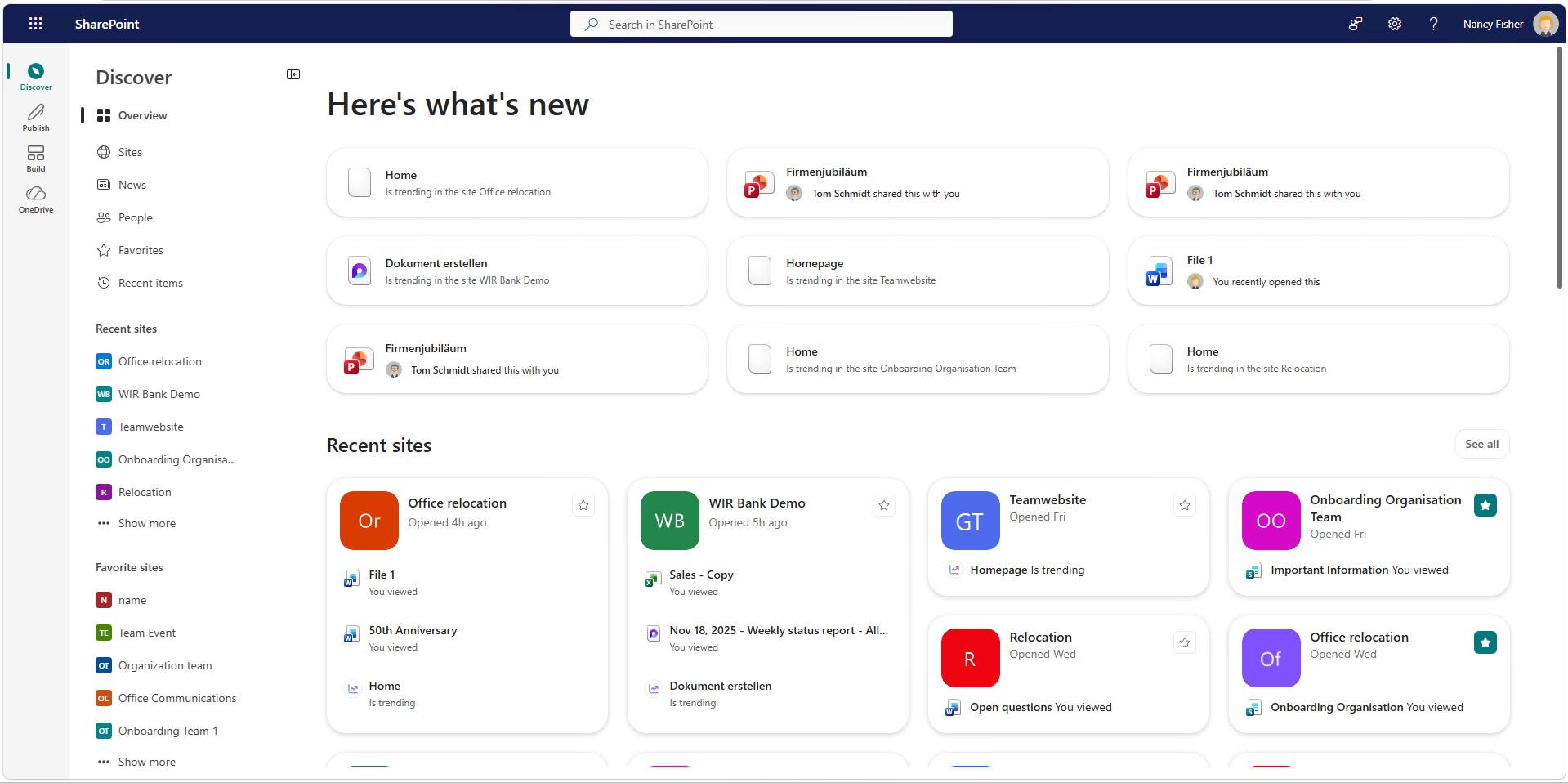
1. Find relevant content
Through the new "Discover" area, employees will be able to find relevant pages, news, and content more quickly. The revised homepage consolidates important information in one central location and facilitates navigation within the organization.
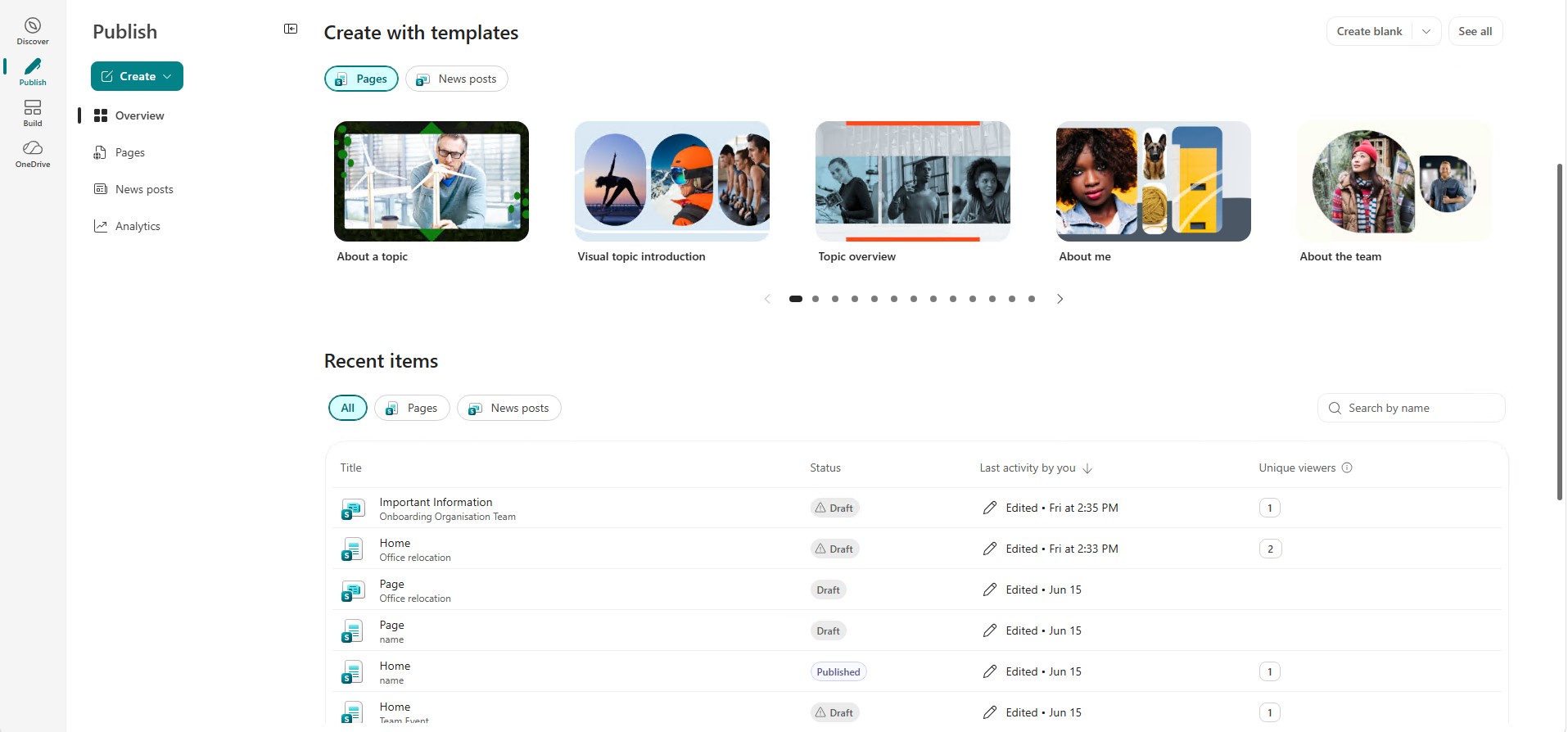
2. Publish content
The new area "Publishing" brings together the creation of pages, news articles, and campaign communication. This makes it easier to publish information and target it to different groups.
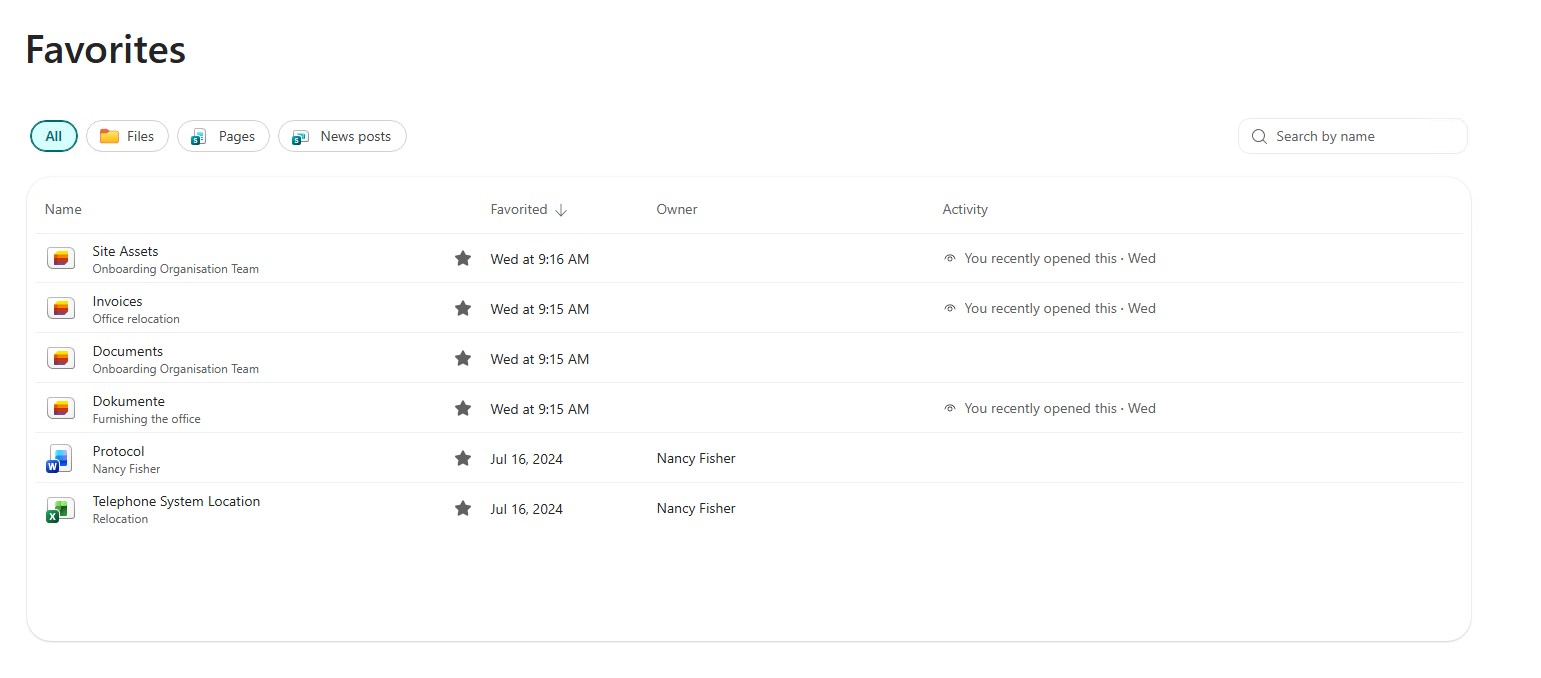
3. Manage favorites centrally
Microsoft combines the previous sections "Followed Websites" and "Saved for Later" into a unified favorites function. This makes important content easier to find and consistently presented across Microsoft 365.


Show me similar content
Microsoft 365 Hacks


