


Work More Efficiently with Outlook and To Do
Show me similar content
Microsoft 365 Hacks
A structured workday begins with clear prioritization. That’s exactly where Microsoft To Do in Outlook comes in to help. The “Suggestions” section analyzes your existing tasks and recommends activities that are suitable for planning your day. This way, you don’t have to manually search through your task lists and can focus on what matters most more quickly. With just a few clicks, you can add recommended tasks to “My Day” and add additional options as needed. This saves time, increases transparency, and ensures that important tasks aren’t overlooked. Especially when you have a large number of pending tasks, this feature offers an easy way to get started with productive daily planning.
1. Open “My Day”
First, open the “To Do” pane in Outlook, and then switch to “My Day.” There, you can manage tasks for your current workday.
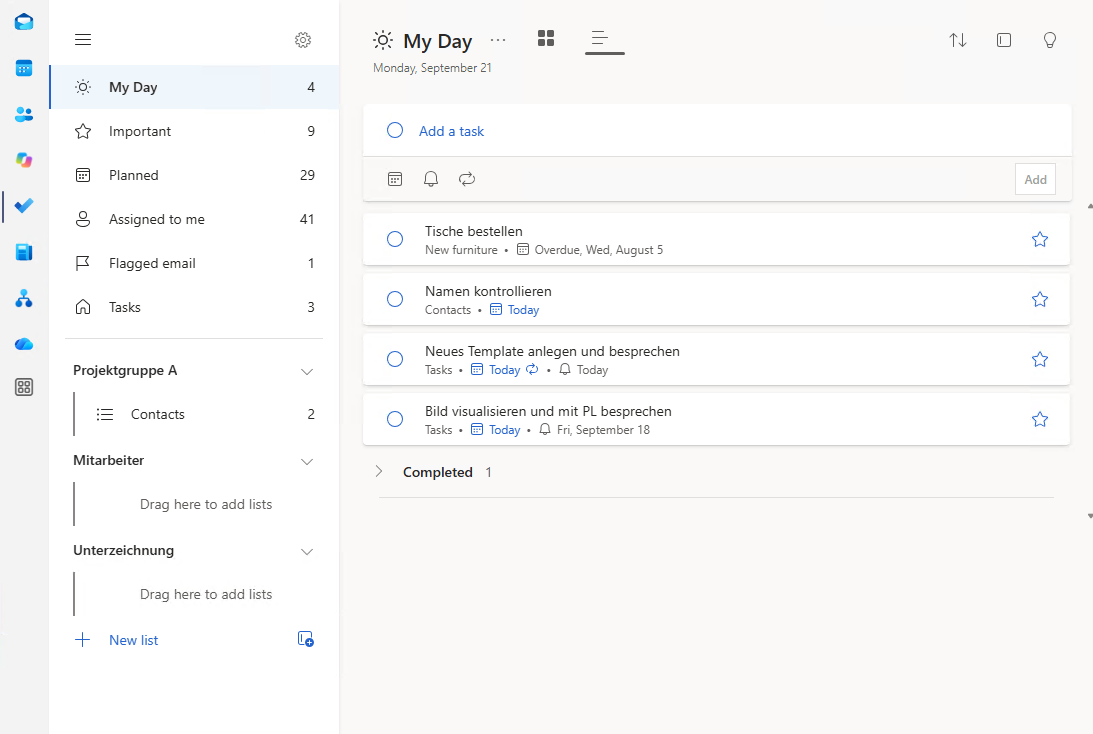
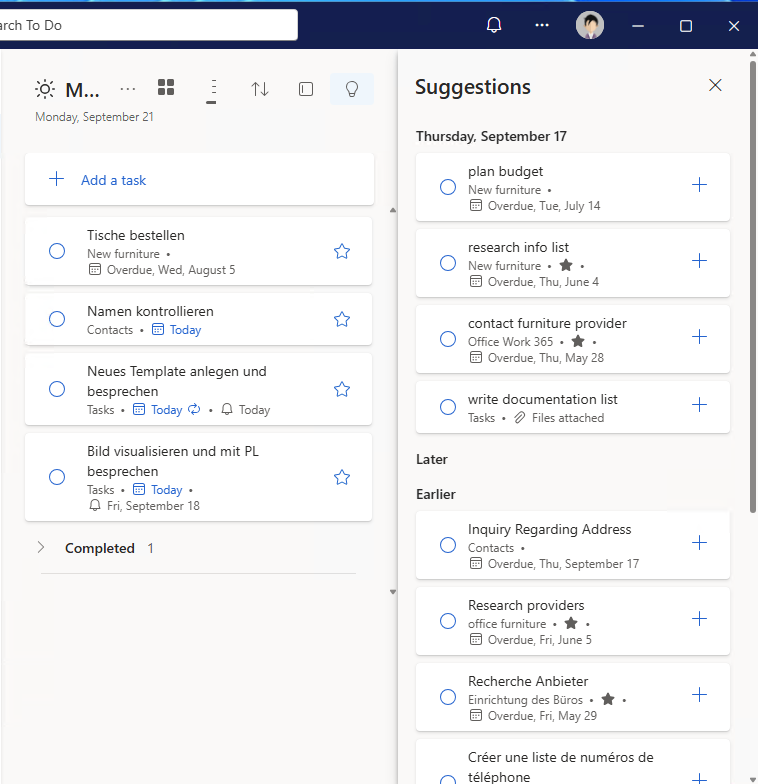
2. View Suggestions
Click Suggestions to view the tasks recommended by Outlook. The list includes tasks that are particularly suitable for planning today.
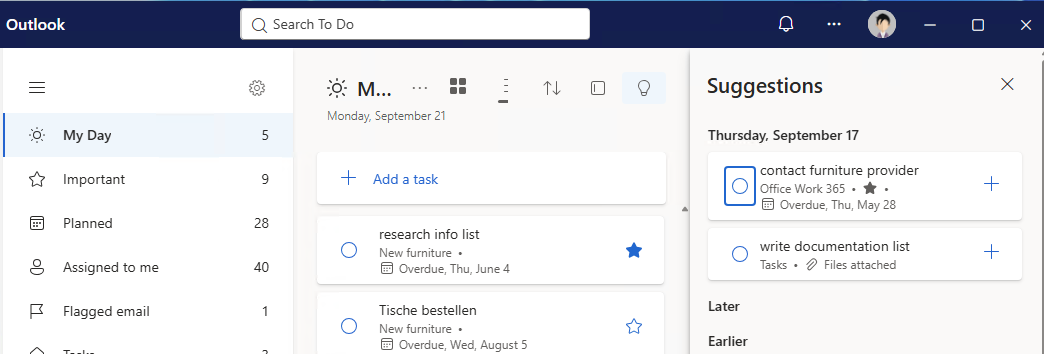
3. Add a task
Select a suggestion and click “Add to ‘My Day.’” The task will be added to your daily schedule immediately.


Show me similar content
Microsoft 365 Hacks


