


Use shared notes in the Teams group chat
Show me similar content
Microsoft 365 Hacks
Information from chats is often lost in everyday work. This can quickly lead to misunderstandings, especially during longer projects or when preparing for vacation coverage. With notes in the Microsoft Teams group chat, you have a practical way to capture important content directly in Teams. Task lists, responsibilities, or daily work routines can be centrally documented and collaboratively maintained. This creates transparency for all parties involved and ensures that relevant information is available at all times. This function is especially helpful before longer absences, as it aids in the structured transfer of knowledge to colleagues and ensures reliable business continuity.
1. Create notes
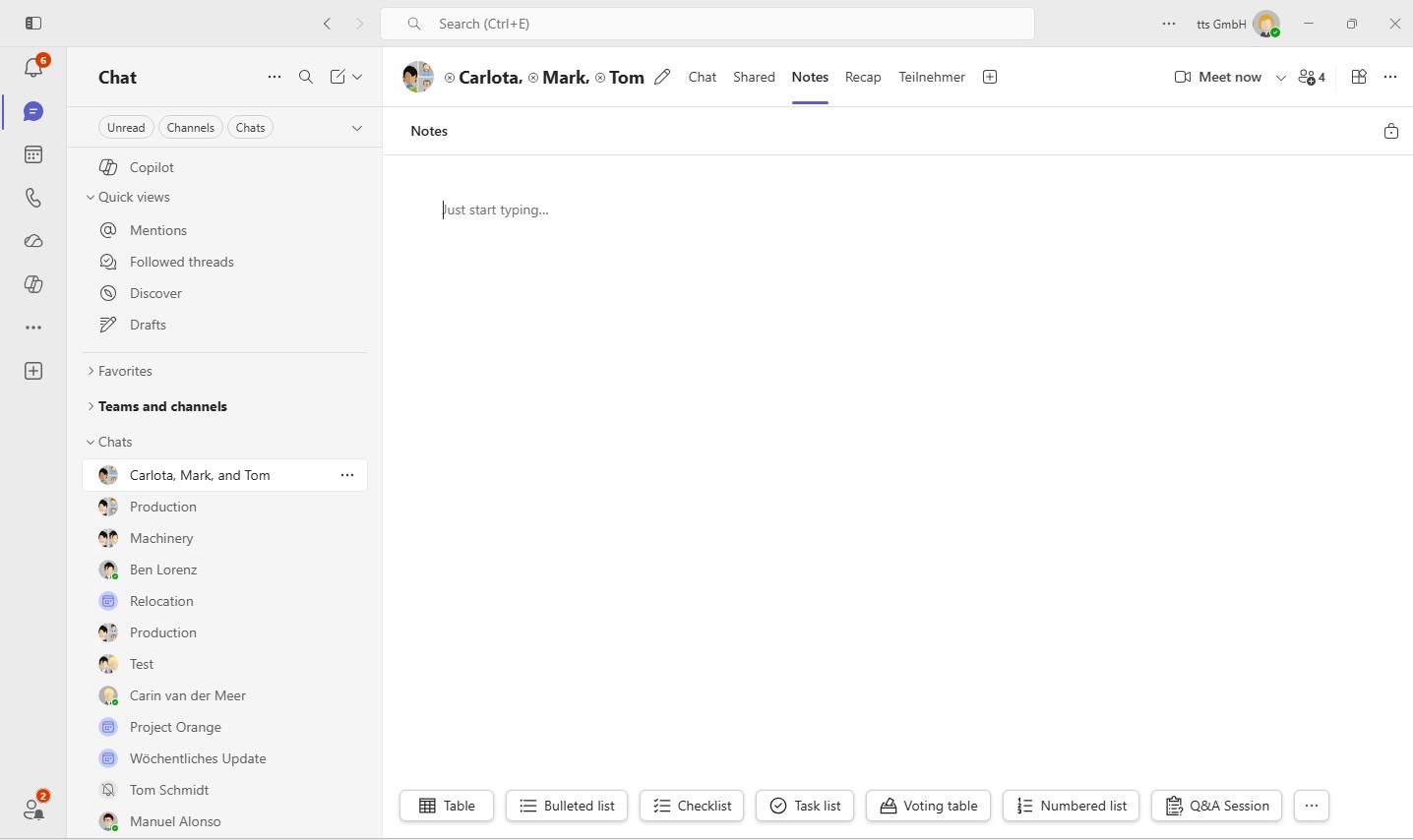
Open the "Notes" feature in the group chat and create a new notes page. Here you can collect and organize important information in a structured way.
2. Create task list
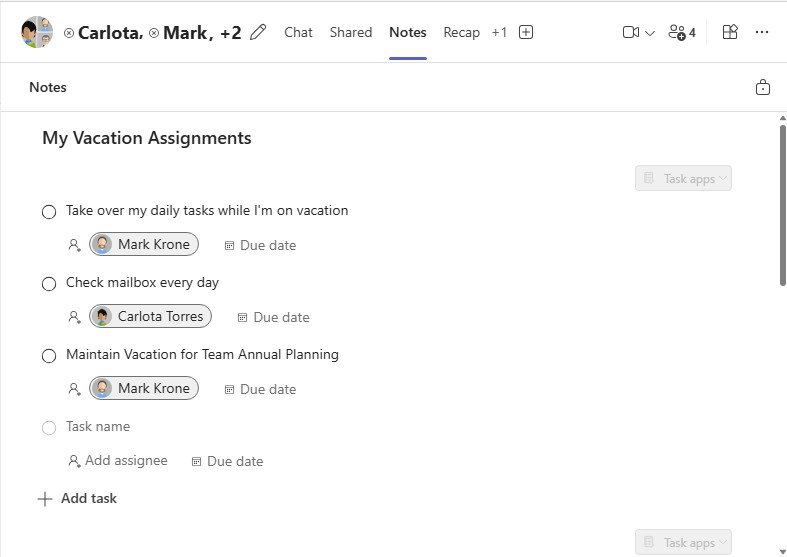
Create a task list and document the activities that need to be taken over during your absence. This way, everyone involved will have a clear overview.
3. Insert tables
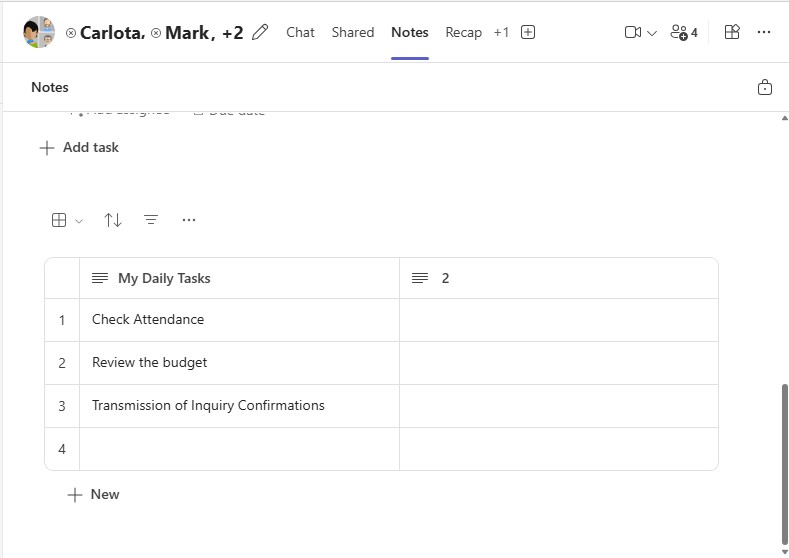
Add a table with recurring tasks and document responsibilities as well as important notes. This way, your representative will always know what needs to be done.


Show me similar content
Microsoft 365 Hacks


